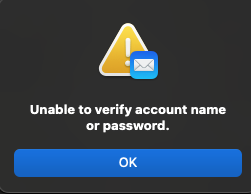
 Same here, I've not been able to access my 2 hotmail accounts since 24th Sept 2024, been plagued by this off an on daily for years but now no matter what I do I can not log in through Mac mail either on my MacBook Pro or iPhone. I've even changed both my login passwords by accessing my emails though a web browser on outlook.live.com. Then updated the passwords in the mail accounts on my computer but still I get this message.
I've resorted to downloading the Microsoft Outlook app on my MacBook. I really don't want to have to do this on my phone.
All online help about filling in your password in the blank space is not the solution.
My wife has the same problem on her MacBook Air and a friend of mine too. It all kicked off about a week or two ago.
My work emails still work in Apple Mail why doesn't hotmail?

