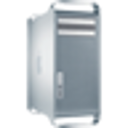
would like to clear out my mac(space purposes) its from 2008, so none of these options are applicable

I have no more space to upgrade. Ive tried deleting pictures etc. not sure Im doing things correctly. Not computer tech savvy


MacBook Air 13″, macOS 10.13

Posted on Aug 14, 2023 3:19 PM

Reply
5 replies

Aug 14, 2023 6:04 PM in response to Reeny664

Reeny664 Said:

"would like to clear out my mac(space purposes) its from 2008, so none of these options are applicable

I have no more space to upgrade. Ive tried deleting pictures etc. not sure Im doing things correctly. Not computer tech savvy"

-------


Freeing Up a Desktop Mac Storage:


Clear Space:

Try clearing internal storage. Do so, though use of the following:


What Space to Clear:

A. Clear Temporary Internet Files:

Clear your Temporary Internet Files(Cookies & Cache) of Safari:

  • Cookies perform remembrance of certain site-entered data.
  • Cache keeps a snapshot of the last time you visited a site.

Go Here: Manage Cookies and Website Data in Safari on Mac - Apple Support


Also...


B. Clean iTunes Library:

Remove all unneeded files from your iTunes Libraries. Full-Movies take up 2-4GB typically, and a bunch of those would take up a load of storage, ideally. So, if you have any movies that are not needed, then delete them.


Also...


C.See these Links:


Aug 14, 2023 5:41 PM in response to Reeny664

Okay, Reeny664, your options for more space/storage are :

a) take it in for service/upgrade and have a bigger ssd/hard drive installed

b) use an external hard drive/ssd for additional storage

c) you should buy/have/use external storage anyways for Time Machine backups in case your internal drive dies on you , you don’t have a backup and you lose EVERYTHING…


John B

This thread has been closed by the system or the community team. You may vote for any posts you find helpful, or search the Community for additional answers.

would like to clear out my mac(space purposes) its from 2008, so none of these options are applicable

Welcome to Apple Support Community
A forum where Apple customers help each other with their products. Get started with your Apple Account.