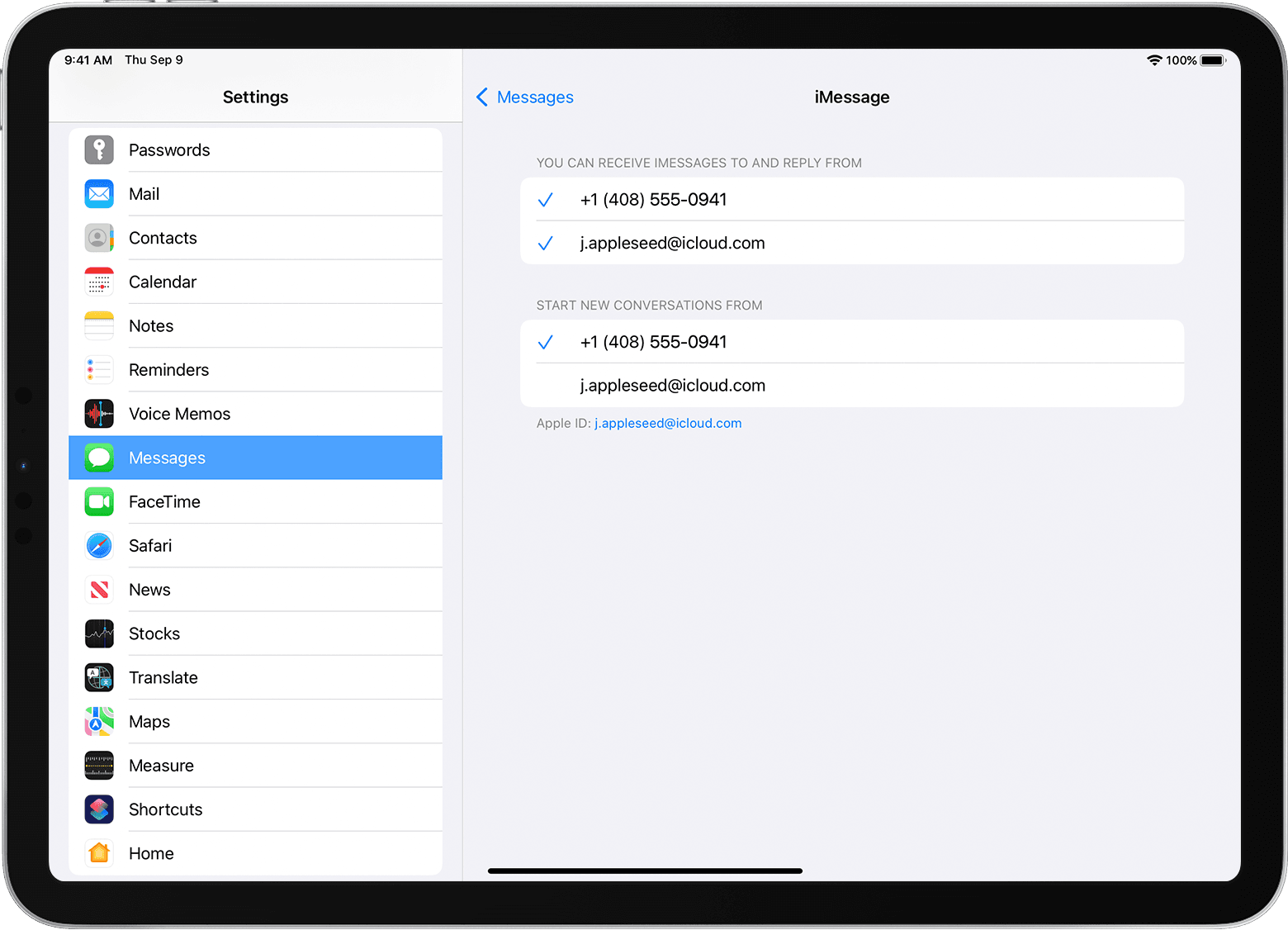
add a phone number to an apple id

OK, so how dumb is this?


Tossed a SIMM in to an Apple A1459 ipad ...... its got an apple ID in it.


I want to add the cell phone number from the simm I just added.


In settings / Account / name-phonenumbers-email under contactable at:


I'm trying to edit it and add the cell number - OK lovely cept' for the fact that the bloody

thing wants to send the verification text message to the ipad !!


How's that supposed to work when I don't have the texting setup on the actual ipad yet?


And NO, it won't send the verification number to the apple ID or to a second email address

I tossed in to the ipad as well.


What's the work-around for this?


Cheers'

Dave

Posted on Oct 21, 2022 9:02 AM

Reply
Question marked as Top-ranking reply

Posted on Oct 21, 2022 9:06 AM

Do you have an iPhone - or just an iPad?


An iPad, whether a Cellular model or not, is not capable of directly accessing Cellular Voice or SMS/MMS Messaging features. An iPad with either WiFi or Cellular connectivity alone can only access IP-data services. If you have added a DataSIM and Cellular plan to a WiFi+Cellular model of iPad, the number associated with the SIM card is only used to identify your account for billing purposes. This number is not used for making calls or sending messages.


However, when paired with an iPhone, the capabilities of iPad significantly broaden to include access to Cellular Voice and Messaging services of the associated iPhone - relayed to the iPad over WiFi using Apple’s continuity features.


More information about Continuity and the relevant Cellular services can be found here:


Continuity

Use Continuity to connect your Mac, iPhone, iPad, iPod touch and Apple Watch – Apple Support


SMS/MMS Messaging

How to forward SMS/MMS text messages from your iPhone to your iPad, iPod touch or Mac - Apple Support


If you have an iPhone - and both iPad and iPhone are signed-in to iCloud with the same AppleID - to send SMS/MMS messages (green bubbles) from your iPad you must explicitly enable Text Message Forwarding for your iPad on your iPhone...


On your iPhone:

Settings > Messages > Text Message Forwarding - set to ON - and explicitly enable your iPad from the list of devices.


Also ensure that Messages in iCloud is enabled on both your iPhone and iPad:

Settings > [Your Name / AppleID] > Messages - set to ON


5 replies
Question marked as Top-ranking reply

Oct 21, 2022 9:06 AM in response to DaveCason666

Do you have an iPhone - or just an iPad?


An iPad, whether a Cellular model or not, is not capable of directly accessing Cellular Voice or SMS/MMS Messaging features. An iPad with either WiFi or Cellular connectivity alone can only access IP-data services. If you have added a DataSIM and Cellular plan to a WiFi+Cellular model of iPad, the number associated with the SIM card is only used to identify your account for billing purposes. This number is not used for making calls or sending messages.


However, when paired with an iPhone, the capabilities of iPad significantly broaden to include access to Cellular Voice and Messaging services of the associated iPhone - relayed to the iPad over WiFi using Apple’s continuity features.


More information about Continuity and the relevant Cellular services can be found here:


Continuity

Use Continuity to connect your Mac, iPhone, iPad, iPod touch and Apple Watch – Apple Support


SMS/MMS Messaging

How to forward SMS/MMS text messages from your iPhone to your iPad, iPod touch or Mac - Apple Support


If you have an iPhone - and both iPad and iPhone are signed-in to iCloud with the same AppleID - to send SMS/MMS messages (green bubbles) from your iPad you must explicitly enable Text Message Forwarding for your iPad on your iPhone...


On your iPhone:

Settings > Messages > Text Message Forwarding - set to ON - and explicitly enable your iPad from the list of devices.


Also ensure that Messages in iCloud is enabled on both your iPhone and iPad:

Settings > [Your Name / AppleID] > Messages - set to ON


Oct 21, 2022 11:20 AM in response to DaveCason666

This is beginning to sound like a broken record…


If paired with an iPhone, the capabilities of iPad broaden to include access to Cellular Voice and Messaging services of the associated iPhone - relayed to the iPad over WiFi using Apple’s continuity features. For the most part, an iPad using Continuity is able to access Cellular calling features, of the iPhone, when both the iPad an iPhone are in close physical proximity and are connected to the same WiFi network - but this is not the end of the story.


Now, if your both your Cellular Carrier and your calling plan support WiFi Calling, your iPad can make and receive calls independently of the iPhone - even when the iPhone is switched off, elsewhere, or using a different WiFi network. Not all carriers support full WiFi calling.


More information about Continuity and the relevant Cellular services can be found here:


Continuity

Use Continuity to connect your Mac, iPhone, iPad, iPod touch and Apple Watch – Apple Support


SMS/MMS Messaging

How to forward SMS/MMS text messages from your iPhone to your iPad, iPod touch or Mac - Apple Support


WiFi Calling

Make a call with Wi-Fi Calling – Apple Support


When correctly configured, the iPad FaceTime App provides access to Cellular Voice Calling features - whilst Messages supports SMS/MMS messaging services.


So, in conclusion, if your own Cellular Carrier and tariff support WiFi Calling, it is theoretically possible to configure WiFi Calling service for your iPad. After WiFi Calling is enabled and configured, your iPad can continue to make and receive cellular calls independently of your iPhone whilst connected to a WiFi network.


I hope this information and clarification is helpful in understanding the capabilities of both your iPad - and when you have one, your iPhone.

Oct 21, 2022 9:19 AM in response to LotusPilot

Hi,


Thanks for the speedy response ...... this is an Ipad A-1459 and the data cell simm is working because it's getting a news feed.

I'm not an apple guy but I understood that you can:


> Turn your phone number on or off for your iPad or iPod touch


After you set up your phone number, you can turn it on or off for Messages and FaceTime on your iPad or iPod touch.

  1. For Messages, go to Settings > Messages and make sure that iMessage is on. If asked, sign in with the Apple ID you're using with Messages and FaceTime on your iPhone. Then tap Send & Receive.
  2. For FaceTime, go to Settings > FaceTime. If asked, sign in with the Apple ID that you're using with Messages and FaceTime on your iPhone.
  3. Turn your phone number on or off:


Is this not the case ? So you can't send or receive text messages or apple's i-messages on an ipad ?


Even tho it looks like the same "Messages" link on the screen that the iphones do have?


Can you make or receive phone calls from an ipad with a cell simm in it? Or is that SIMM card just for mobile data

for browsing the web or news feeds etc? I honestly don't know .....


Cheers'

Dave


Oct 21, 2022 10:58 AM in response to LotusPilot

Ah OK, thanks !


OK, so to get messages working on an ipad we'd need an iphone paired to it - correct?


As an option would a specific app like "SecureAuth" still work ? Or even something like Foreflight?

They use data but don't require texting as far as I know .........


Lastly - the ipad is a A-1459 and it says its at 10.3.4 for the IOS but some apps need the ipad to be at

the more current IOS of something like 12.0, can this model be updated?


Cheers'

Dave


This thread has been closed by the system or the community team. You may vote for any posts you find helpful, or search the Community for additional answers.

add a phone number to an apple id

Welcome to Apple Support Community
A forum where Apple customers help each other with their products. Get started with your Apple Account.