time machine
I wish to replace my Apple airport backup with an ssd backup which is connected to my network. What are my options and still have it work automatically as apple no longer makes them.
I wish to replace my Apple airport backup with an ssd backup which is connected to my network. What are my options and still have it work automatically as apple no longer makes them.
SSD is not particularly useful over a network.. unless you have 10Gbps cabling. For most people a spinning drive is still the most suitable for backups over a network since you cannot actually exceed 125MByte/s over gigabit ethernet (with wireless a darn sight slower) and real world this number is usually 100-110MB/s. Hard disks of large sizes are still well and truly able to keep up with this speed and are usually a better option for continually writing (as per backup) cf continually reading as a disk in a computer is usually used for.
The best solution IMHO is a Synology NAS. I suggest synology in particular because they have done a lot more work with SMB backup on later Mac OS. Some of us here have moved from Time Capsules to Synology NAS and find them reliable. Plus you can use them for a lot more than just backup.. file storage.. media streaming.. etc. It is expensive to buy into.. with proper raid setup is near the price of a computer.. but can give you many years of service. BTW if you plan to use NAS for file storage, always buy the same capacity in USB drives to use as backup.
Synology also makes a router.. RT2600AC which you can plug a USB3 hard disk into. The firmware has a lot in common with the NAS and it is the most reliable of the Router + Drive for Time Machine I have tested.
You can use SSD in either of these with zero speed improvement.. (albeit lower latency). Almost any level NAS will give you full gigabit speed for backup.. USB on a router is a bit slower with speeds restricted to around same as internal disk in the TC.. 40-50MB/s at best.
There are other routers that support time machine to a USB3 drive.. but in my testing they proved OK for short term but long term not so reliable.. then again Time Machine is not so reliable now to network targets either.
Asus, Netgear and some others do support TM to USB drives but I would recommend using Carbon Copy Cloner with them.. get away from Time Machine for any Network backup is also strongly recommended.. even a Time Capsule. (I just had 6months of backup wiped by typical TM self-corruption to a Gen5 TC).
The other solution is a big drive in/on/under/usbed/thunderbolted to a desktop Mac.
The old Time Machine extensions from the server edition is now in High Sierra and later. You can configure your desktop Mac (a laptop bolted to your table = desktop), as a Time Machine Server.
See https://www.howtogeek.com/330288/how-to-set-up-your-mac-to-act-as-a-networked-time-machine-drive/
SSD is not particularly useful over a network.. unless you have 10Gbps cabling. For most people a spinning drive is still the most suitable for backups over a network since you cannot actually exceed 125MByte/s over gigabit ethernet (with wireless a darn sight slower) and real world this number is usually 100-110MB/s. Hard disks of large sizes are still well and truly able to keep up with this speed and are usually a better option for continually writing (as per backup) cf continually reading as a disk in a computer is usually used for.
The best solution IMHO is a Synology NAS. I suggest synology in particular because they have done a lot more work with SMB backup on later Mac OS. Some of us here have moved from Time Capsules to Synology NAS and find them reliable. Plus you can use them for a lot more than just backup.. file storage.. media streaming.. etc. It is expensive to buy into.. with proper raid setup is near the price of a computer.. but can give you many years of service. BTW if you plan to use NAS for file storage, always buy the same capacity in USB drives to use as backup.
Synology also makes a router.. RT2600AC which you can plug a USB3 hard disk into. The firmware has a lot in common with the NAS and it is the most reliable of the Router + Drive for Time Machine I have tested.
You can use SSD in either of these with zero speed improvement.. (albeit lower latency). Almost any level NAS will give you full gigabit speed for backup.. USB on a router is a bit slower with speeds restricted to around same as internal disk in the TC.. 40-50MB/s at best.
There are other routers that support time machine to a USB3 drive.. but in my testing they proved OK for short term but long term not so reliable.. then again Time Machine is not so reliable now to network targets either.
Asus, Netgear and some others do support TM to USB drives but I would recommend using Carbon Copy Cloner with them.. get away from Time Machine for any Network backup is also strongly recommended.. even a Time Capsule. (I just had 6months of backup wiped by typical TM self-corruption to a Gen5 TC).
The other solution is a big drive in/on/under/usbed/thunderbolted to a desktop Mac.
The old Time Machine extensions from the server edition is now in High Sierra and later. You can configure your desktop Mac (a laptop bolted to your table = desktop), as a Time Machine Server.
See https://www.howtogeek.com/330288/how-to-set-up-your-mac-to-act-as-a-networked-time-machine-drive/
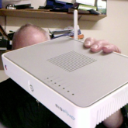
Are you currently using a Time Capsule for Time Machine? If so, what kind of SSD backup solution are you proposing to replace it with? You mention that it would be connected to the network ... do you mean it will be part of NAS system?
I am currently using a time capsule which is hard wired to my local area network or nas system, my reason for considering ssd was to eliminate the possibility of the hard drive crashing in the time capsule. My Time Capsule is now a 2tb and I would increase to a 4tb.
A 4TB SSD is hugely expensive and if you are simply replacing the current hard disk in the TC then just buy a good quality standard spinning drive.. they very rarely fail in the first few years.. (HGST, TOSHIBA are better than some of the cheap end disks from Seagate and WD).
In addition to the cost, as LaPastenague has noted, what you would have gained performance-wise by using an SSD as a replacement drive would have been lost due to both the limited CPU capability and restrictive physical interface of the TC. In addition, the TC does not support TRIM for SSDs.
time machine