iPhone is missing, using Find my cannot locate it and doesn't show details

iPhone is missing, using Find my phone, cannot locate, might be waiting for missing iPhone to log on to WiFi idk? Is the someway I can see the devices details to identify exactly which iPhone we are talking about? Idk which is iPhone 1 or 2,3 etc

any help out there


[Re-Titled by Moderator]

iPhone 13 Pro Max

Posted on Dec 19, 2023 8:05 PM

Reply
Question marked as Top-ranking reply

Posted on Dec 19, 2023 10:24 PM

Find IMEI & Serial No. of the Lost Device


  1. If an iPhone, iPad, or iPod touch is lost or stolen - Apple ...
  2. Find the serial number or IMEI on an iPhone, iPad, or iPod ...

You may use a web browser to get the Serial Number and the IMEI Number. You cannot track using the IMEI number. but you may need it so keep it handy

Log in to https://appleid.apple.com with your Apple ID credentials. All your devices will be listed there. Click on any to get the details.



Do's, If you had enabled "Find My" before it was lost


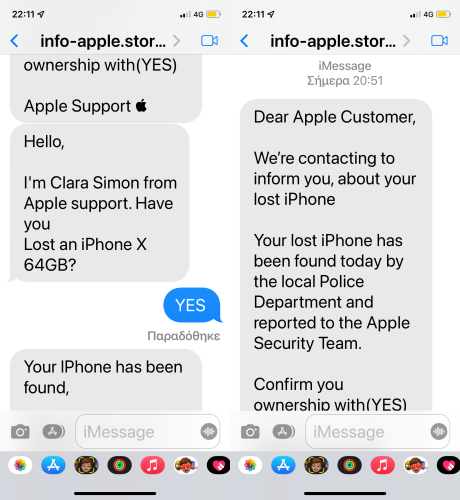
Beware of Phishing!


Be careful and be smart to --> Recognize and avoid phishing messages, phoney support calls ...

Note: Apple will never send you any info on Lost/Found iPhones. It (Phishing) may appear as the image given below.


Switched Off? Still traceable


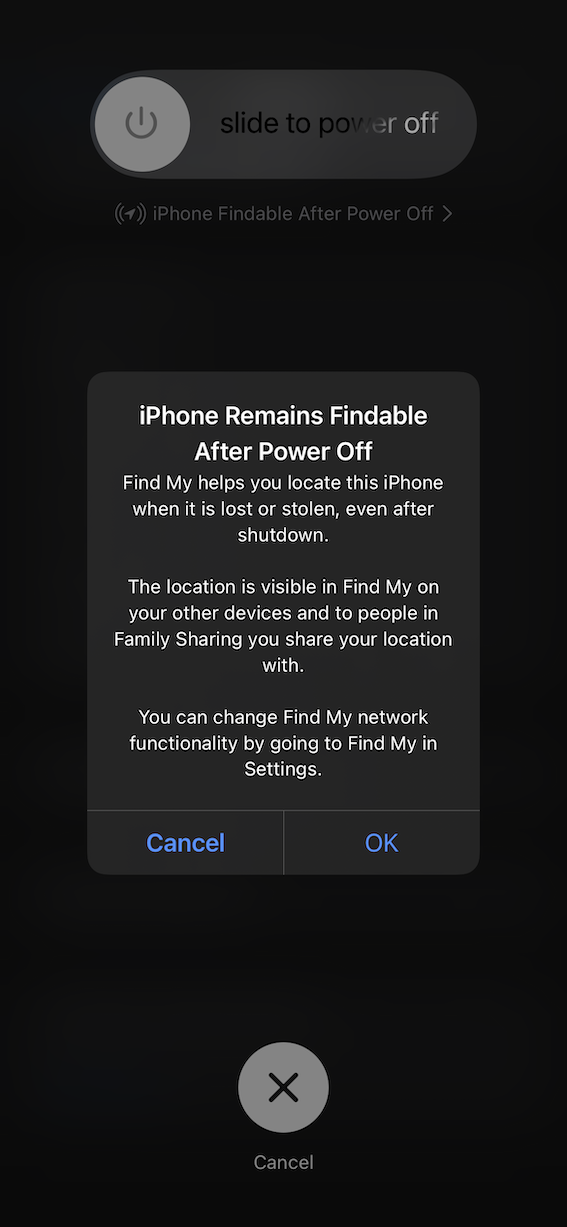
Even if the iPhone is switched off it is findable, see the pic below.


Device Offline?


I see my device in Find My, but it's offline
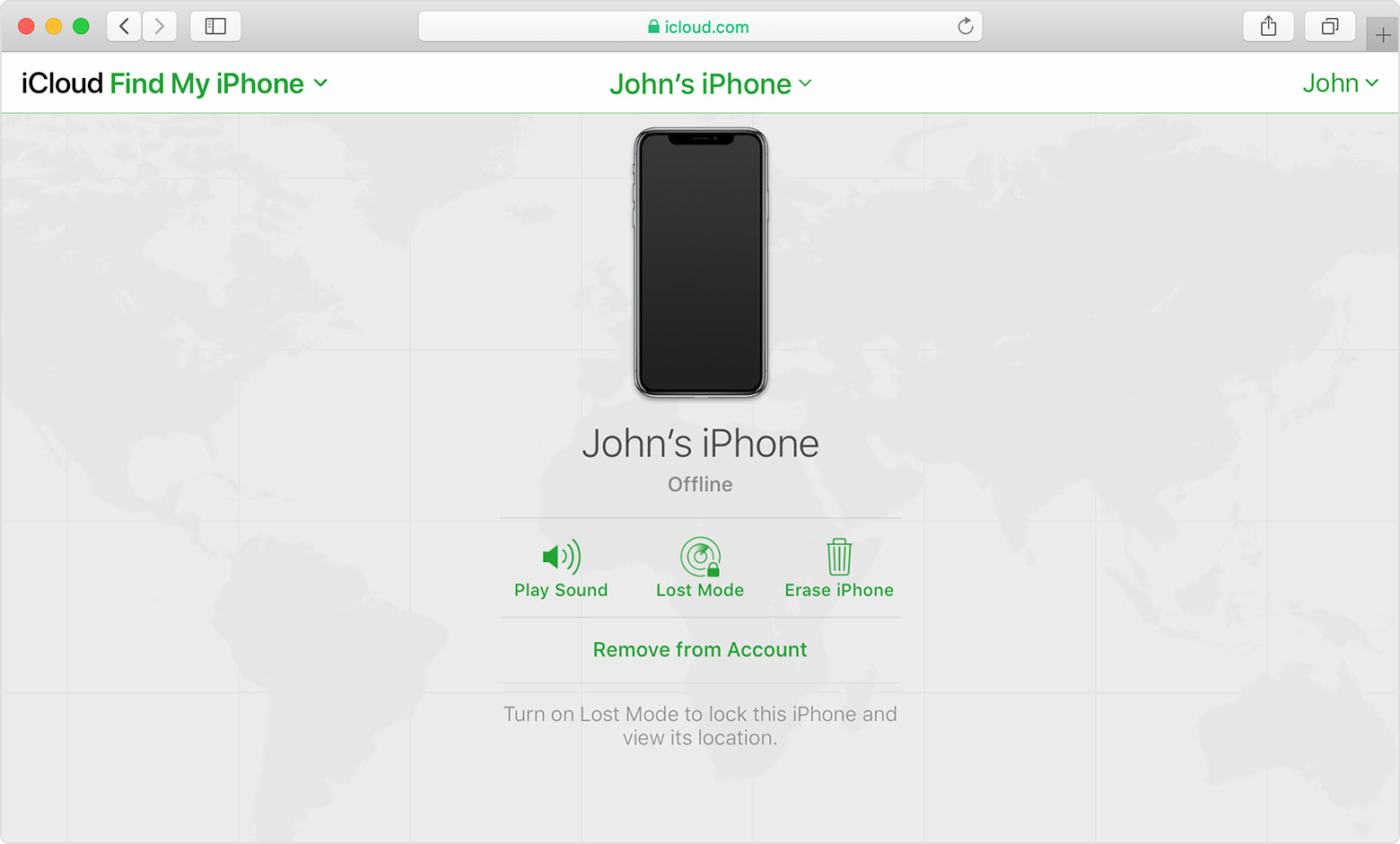

If you see "Offline," "No location available," or "Location Services Off," your device might be offline for one of these reasons:


Don't see your device?

  • You might not have Find My turned on.
  • If you're using the Find My app, you can't see your device's location if more than 7 days have passed since its last location was sent to Apple.
  • If you're using iCloud.com/find, you can't see your device's location if it's powered off, the battery has run out, or more than 24 hours has passed since its last location was sent to Apple.
  • Learn how you can still protect your information.


2 replies
Question marked as Top-ranking reply

Dec 19, 2023 10:24 PM in response to I2dunno

Find IMEI & Serial No. of the Lost Device


  1. If an iPhone, iPad, or iPod touch is lost or stolen - Apple ...
  2. Find the serial number or IMEI on an iPhone, iPad, or iPod ...

You may use a web browser to get the Serial Number and the IMEI Number. You cannot track using the IMEI number. but you may need it so keep it handy

Log in to https://appleid.apple.com with your Apple ID credentials. All your devices will be listed there. Click on any to get the details.


Do's, If you had enabled "Find My" before it was lost


Beware of Phishing!


Be careful and be smart to --> Recognize and avoid phishing messages, phoney support calls ...

Note: Apple will never send you any info on Lost/Found iPhones. It (Phishing) may appear as the image given below.


Switched Off? Still traceable


Even if the iPhone is switched off it is findable, see the pic below.


Device Offline?


I see my device in Find My, but it's offline


If you see "Offline," "No location available," or "Location Services Off," your device might be offline for one of these reasons:


Don't see your device?

  • You might not have Find My turned on.
  • If you're using the Find My app, you can't see your device's location if more than 7 days have passed since its last location was sent to Apple.
  • If you're using iCloud.com/find, you can't see your device's location if it's powered off, the battery has run out, or more than 24 hours has passed since its last location was sent to Apple.
  • Learn how you can still protect your information.



This thread has been closed by the system or the community team. You may vote for any posts you find helpful, or search the Community for additional answers.

iPhone is missing, using Find my cannot locate it and doesn't show details

Welcome to Apple Support Community
A forum where Apple customers help each other with their products. Get started with your Apple Account.