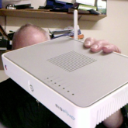
Apple Time Machine/Time Capsule
How do I connect the Time Machine to only act as back-up device? I have a new router, and do not want to use the router in the Time Machine.
Thanks, Jim Ferguson
MacBook Pro 13″, macOS 11.1
How do I connect the Time Machine to only act as back-up device? I have a new router, and do not want to use the router in the Time Machine.
Thanks, Jim Ferguson
MacBook Pro 13″, macOS 11.1
Reset the TC to factory. No files are lost on the hard disk.
Plug from LAN of your new router to WAN of the TC.
Reconfigure the TC from the airport utility in your computer.
It will be reconfigured in Bridge mode.
Once completed you can decide if you wish to continue to use the TC wireless or not.
Issues do arise so I recommend the following.
1 Do not use the same name as before.. make it short, no spaces and pure alphanumerics for everything
2 Passwords same rules but longer
3 Set IP to static once completed. The IP will remain the same as before but you need to fill in DNS.. I just use 8.8.8.8
4 Set IPv6 to link-local only.
On the internet options tab use the following option.
5 Fix up any other issues on the Time Capsule if there is anything outstanding.
6 Fix up Time Machine by pointing it to the newly renamed TC.. just remove the old TC name and change to the new one.
Time Machine will then pickup the change.. request a password and hopefully continue unabated doing backups.
7 All bets are off for big sur!!
Monday, 8am. I have done all the steps now, thru erase the Airport Time Capsule. Seemed to go w/o a hitch; nothing seen about big sur trying to back up on the TC. T back up the TC, I bought a LaCie 2TB hard drive yesterday, hooked it into the TC, which was plugged into the router. Had to use USB 'cuz TC has no Thunderbolt port. Airport util said backup would be done at 17:30, acceptably fast. Then realized that was not 3:30 Sunday afternoon, it was number of hours to go. Finished this morning.
So, now I have a new backup device, and don't seem to need the TC, which started this long winded acquaintance. Thank goodness, you may be saying. I very much appreciate your patience and willingness to walk me thru the process.
One final thing, please: Screenshot. Once I get the screenshot on the desktop, how do I get it into the email or Community conversation? Is it as simple as cut and paste? Never had any experience with screenshots.
Thanks again, Jim
[Personal Information Edited by Moderator]
Oh, yes I have an iPad and iPhone; clueless as to how to do Airport Util w/ them.
Should the Base Station Password be the new router password? That's what I have now. Does this make the TC want to be in the WIFI net? is that causing the fail?
Went thru whole set-up again, same result: after Network to Off (Bridge Mode), only Cancel is lighted, cannot Update.
Suggestions? Thanks, Jim
I use a MacBook Pro, also a bit aged, but has latest Mac OS Big Sur version 11.1. I will try to get the apps on other devices. You are very patient. Thx.
Thank you. Very clear and helpful.
Apple Time Machine/Time Capsule