Will merged photos in iPad 17.5 stay in all albums from both copies?

I just discovered what “Duplicates” is in Photo Utility sidebar. Could save lots of room! It says all the combined information from both copies will remain, but will there still be a copy in EACH of the albums that EITHER copy of the photo is in?

(And I’ve been wondering for a long time why Apple doesn’t list the albums that a photo is in in that photo’s Info.)


[Re-Titled by Moderator]

iPad Air, iPadOS 17

Posted on May 30, 2025 1:01 PM

Reply
Question marked as Top-ranking reply

Posted on May 30, 2025 3:53 PM

Yes, any Album that referred to any of the images in a set of duplicates will refer to the surviving image.


(If you can update to the latest version, iPadOS 18.5, the list of Albums should be included in the Info.)

5 replies

May 31, 2025 2:55 AM in response to katetx2001

The merging will ensure, that the merged photo will appear in all albums, as Mark pointed out.

But there are some things you still have to manage manually, particularly, if the photos are shared or scanned photos, where you added metadata manually, captions, keywords, dates, locations. Then the two photos to emerged may have different metadata, and the Photos.app will just keep the metadata of the version it is keeping, because it will not know, which of the metadata are the best.

Also, the photos may have slight differences, and photos will have to decide, which is the best version. That is not always the version I would have liked to keep. when I let Photos merge two photos, I am adding them to an album before I merge them. This way it is easier to check, which photos I need to recover to get the version back, that I like most. Here is screenshot taken on my Mac before merging two photos with slight differences:
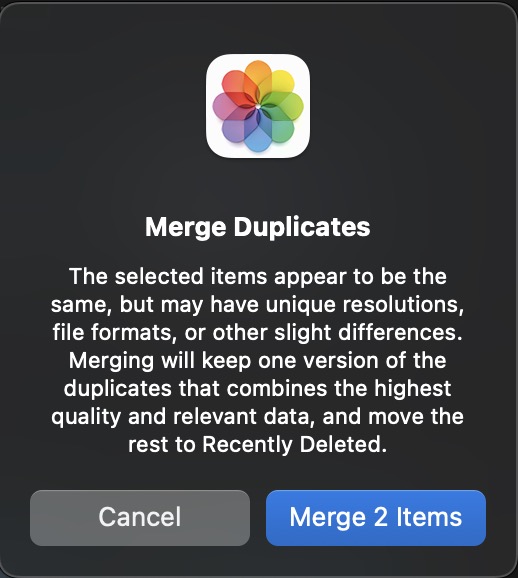

Most of the duplicates shown by Photos are duplicates I created intentionally, because I need two different versions if the same photo, for example two different Live effects - a loop and a long exposure effect, or the original and a cropped out section to show the details. I am only letting Photos merge the photos, if it says that the photos are identical.



Jun 1, 2025 2:12 AM in response to katetx2001

It is strange, that you are having so many duplicates in your library.

Are you importing photos directly on your iPad or have the phots been synced from your Mac?


On my Mac are never exact duplicates, because the Mac is warning me, when I am about to import the same image file twice.There should be no exit duplicates on your devices unless you force Photos to import duplicates.

But Photos will not give a warning when we are importing different versions of the same photo. for example, when someone is sending the same photo to me over and over again.

Then photos will have a different compression or different filename and creation dates and Photos will treat them as similar photos, but not identical.


How did the duplicates get onto your iPad? Have they been synced from a Mac? How?


  • If you have not invested any work into the similar photos (added date and time or titles, captions, keywords) you can just let Photos merge the duplicates. It will keep the version with the best resolution or most metadata in all albums.
  • But if you have spent many hours tagging the photos with locations and the correct dates, assigned faces etc, you will want to look at the duplicates and handpick the keepers.


The problem ist, that photos is not showing the kind of duplicates (exact duplicate or similar photo) in th overview. We have to click the photos to be merged and click "Merge" to see, if they are exact duplicates or similar photos.


May 31, 2025 3:42 PM in response to léonie

Oh, heavens.

I started with Mac way back when (1980s) because everything was simple and intuitive. Now that I’m in my 70s and really need simple and intuitive…it’s not.

From Mark’s answer— 🎈oh, good, a needed task I can accomplish without hours of learning, reading, studying, comparing, manually adjusting, and worrying about what I will lose.

From Léonie’s answer—guess not. Do you always get that warning if there are even slight differences? (I see that these two are framed slightly differently, too.) does the merge take place without a warning if there are no differences in the photo, metadata, information, etc.? I don’t really understand how you use albums in this situation.

I imagine I’ll just be leaving those photos alone. 26k is too many to groom one by one.

Thank you both for your help, truly


This thread has been closed by the system or the community team. You may vote for any posts you find helpful, or search the Community for additional answers.

Will merged photos in iPad 17.5 stay in all albums from both copies?

Welcome to Apple Support Community
A forum where Apple customers help each other with their products. Get started with your Apple Account.