Can not see "Battery Health" in System Preference on Mac OS 11.4 (Big Sur)

I can not see "battery health" in my version of Mac OS, which is Big Sur 11.4. I notice that my battery is running out sooner than I would think it should, but I can't check its health in System Preferences. Support docs say it should be there, but it's not. How can I get access to that feature on my MacBook Pro (Retina, 15-inch, Mid 2014)?

MacBook Pro 15″, macOS 11.4

Posted on Sep 10, 2021 10:28 AM

Reply
Question marked as Top-ranking reply

Posted on Sep 10, 2021 10:38 AM

Skibally wrote:

I can not see "battery health" in my version of Mac OS, which is Big Sur 11.4. I notice that my battery is running out sooner than I would think it should, but I can't check its health in System Preferences. Support docs say it should be there, but it's not. How can I get access to that feature on my MacBook Pro (Retina, 15-inch, Mid 2014)?


Battery Health Management is limited:

Battery health management is on by default when you buy a new Mac notebook with macOS 10.15.5 or later, or after you upgrade to macOS 10.15.5 or later on a Mac notebook with Thunderbolt 3 ports.
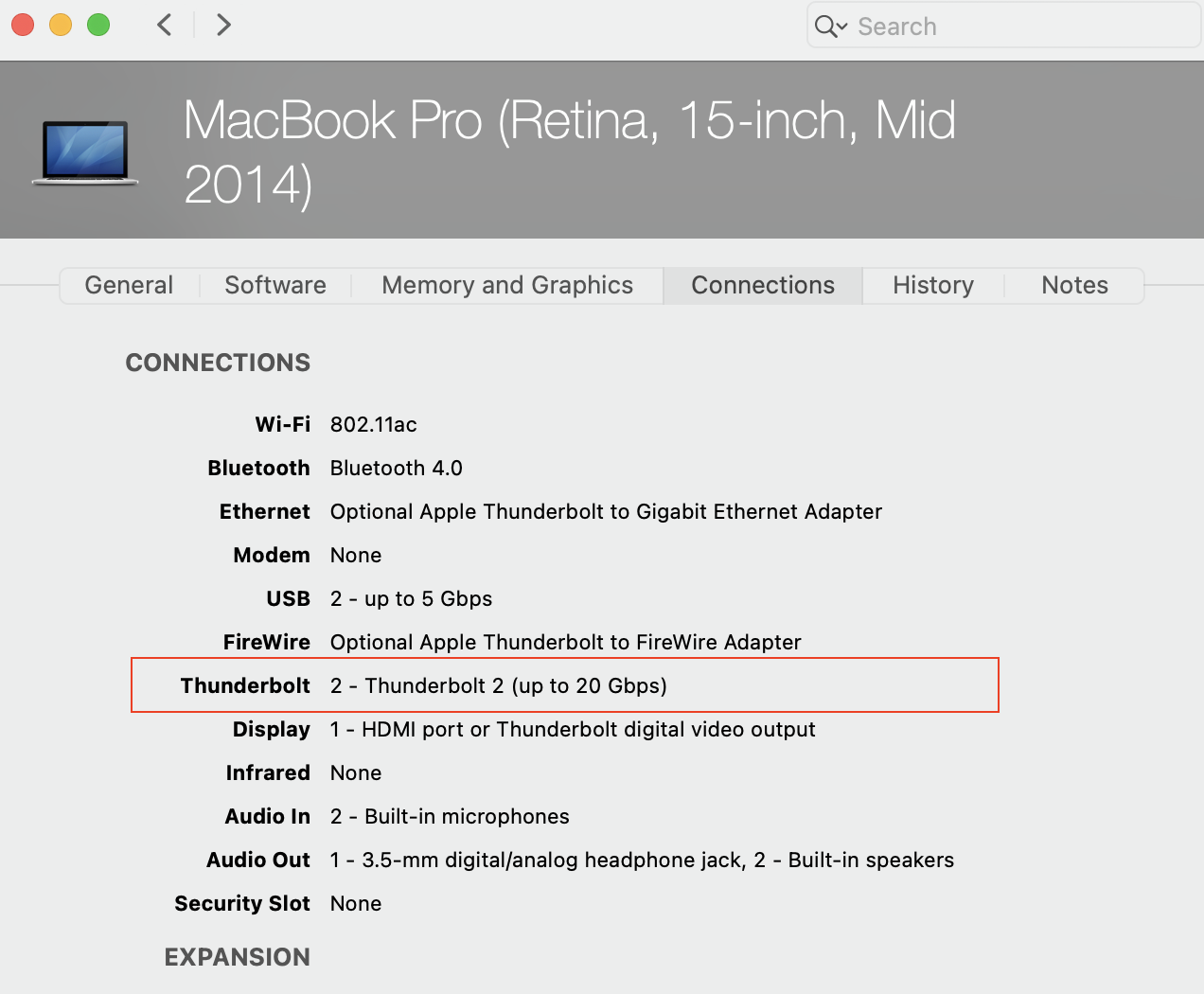


ref: https://support.apple.com/en-us/HT211094


However—You can see your battery Condition:

>(Option key) System Information>Hardware>Power>Condition


Get help with your Mac notebook battery


Learn how to optimize the life of the battery in your Mac notebook, fix battery issues, and get service.

https://support.apple.com/en-us/HT204054


Learn how to get your Mac fixed and how much it will cost.   https://support.apple.com/mac/repair/service


Get your Mac ready for service - Apple Support   https://support.apple.com/en-us/HT209095

1 reply
Question marked as Top-ranking reply

Sep 10, 2021 10:38 AM in response to Skibally

Skibally wrote:

I can not see "battery health" in my version of Mac OS, which is Big Sur 11.4. I notice that my battery is running out sooner than I would think it should, but I can't check its health in System Preferences. Support docs say it should be there, but it's not. How can I get access to that feature on my MacBook Pro (Retina, 15-inch, Mid 2014)?


Battery Health Management is limited:

Battery health management is on by default when you buy a new Mac notebook with macOS 10.15.5 or later, or after you upgrade to macOS 10.15.5 or later on a Mac notebook with Thunderbolt 3 ports.


ref: https://support.apple.com/en-us/HT211094


However—You can see your battery Condition:

>(Option key) System Information>Hardware>Power>Condition


Get help with your Mac notebook battery


Learn how to optimize the life of the battery in your Mac notebook, fix battery issues, and get service.

https://support.apple.com/en-us/HT204054


Learn how to get your Mac fixed and how much it will cost.   https://support.apple.com/mac/repair/service


Get your Mac ready for service - Apple Support   https://support.apple.com/en-us/HT209095

This thread has been closed by the system or the community team. You may vote for any posts you find helpful, or search the Community for additional answers.

Can not see "Battery Health" in System Preference on Mac OS 11.4 (Big Sur)

Welcome to Apple Support Community
A forum where Apple customers help each other with their products. Get started with your Apple Account.