How do I verify the authenticity of an Apple 40W Dynamic charger with my MacBook?

if i connect a apple 40w dynamic to macbook the mcbook should show the charger serial number ? if it doesnt show it means it is fake?


[Re-Titled by Moderator]

Original Title: 40w dynamic

Posted on Dec 11, 2025 12:46 AM

Reply
5 replies

Dec 16, 2025 10:39 AM in response to Jvdmjs

I have the same question.

I bought the UK version from Apple and on my MacBook Pro M4 with MacOS 26.2 shows full information including serial number.

With the A3351 (US two prong version), mine shows just generic information.

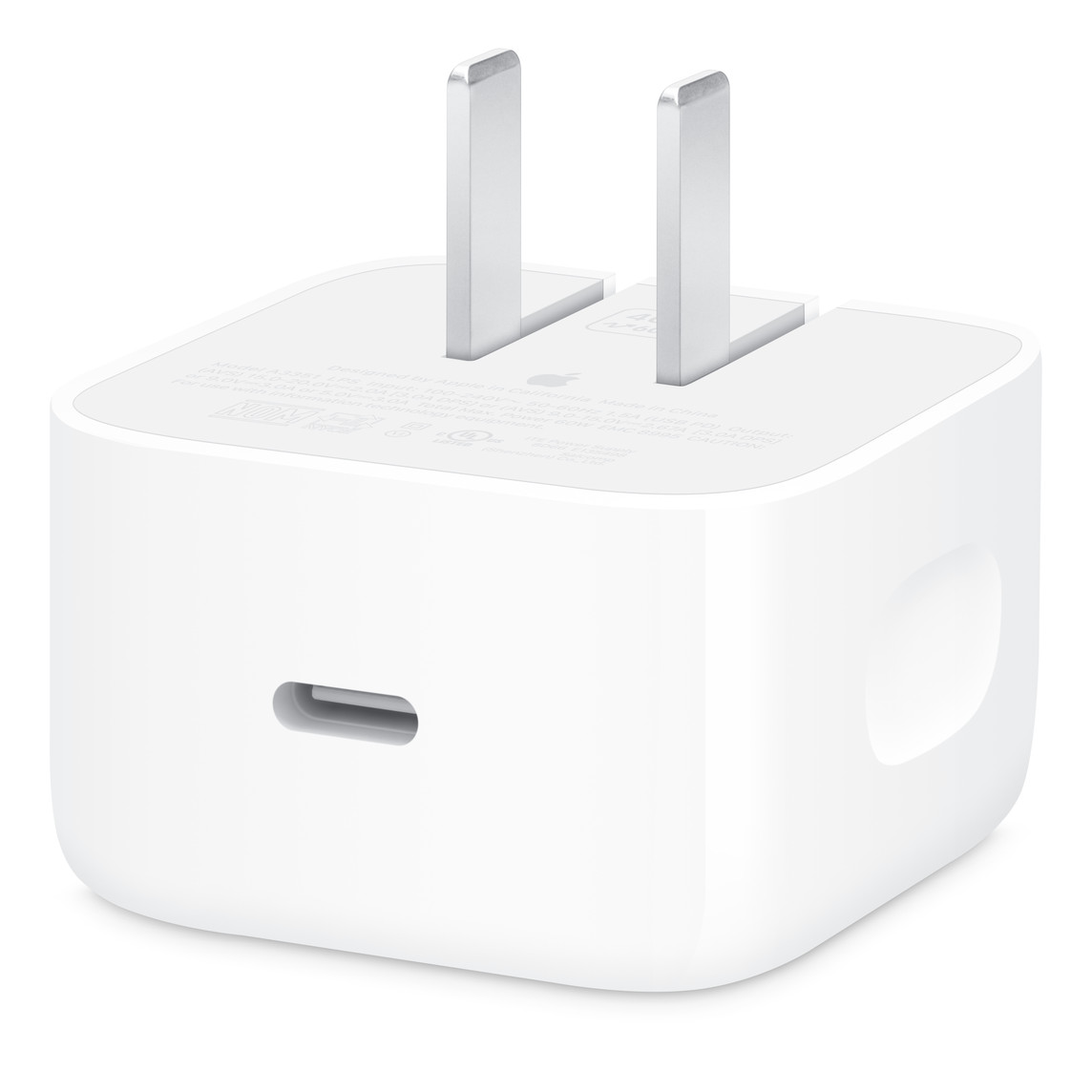
It also has holes in the prongs which all of the images from the US of people unboxing, the genuine version doesn’t appear to have the holes.


The PowerZ charge tester does show it as full USB 3.2 with all expected voltages etc., so very strange.


I have queried the eBay seller and am waiting for a reply.


Image from Apple US website.

Dec 16, 2025 8:22 PM in response to Jvdmjs

At minimum you should have a known genuine OEM power adapter to compare. However, even then you may not be certain since some scammers may make it nearly impossible to tell the difference. I cannot find any Apple article for identifying an OEM power adapter versus a counterfeit one.


The only way to feel safe is buying from a trustworthy & reputable vendor.

  1. The best option is buying directly from Apple,
  2. the next best option is from an Apple authorized reseller.
  3. Third best option is from a respected third party known for selling quality products (usually for years).

How do I verify the authenticity of an Apple 40W Dynamic charger with my MacBook?

Welcome to Apple Support Community
A forum where Apple customers help each other with their products. Get started with your Apple Account.
