Prevent esim auto switch on iOS 26

Is there a way to prevent the esim auto switch on iOS 26? I keep getting the message, "We detected you're home and switched your default line back to xesim. Your travel esim was turned off." Previously, it only switched lines, but now it turns off the travel esim, which is inconvenient since I need both esims active.


Posted on Nov 12, 2025 10:00 AM

Reply
4 replies

Dec 11, 2025 10:34 PM in response to CarlosAdrianGarcia

Any chance you travel between San Diego / Tijuana? I've had no problems for ten years and suddenly in November, I've been dealing with this annoying "feature" daily. Sometimes I get the message you posted, sometimes not. I've spent 20 hours on the phone with T-Mobile customer support who often ask the same questions and run me through the same troubleshooting steps - to no avail. I once was transferred to an Apple tech specialist through T-mobile. He was super ***** from the start and told me that Apple wasn't capable of turning off an esim through the phone. He said, "If that were possible, we'd be receiving a lot of calls about it." I keep telling T-mobile, "I just want the esims to stay on."


Hope we find a solution soon.

Dec 16, 2025 6:08 AM in response to CarlosDeLaTorre

I have the same problem after update to iOS 26.1. No problem in iOS 26.0. Apple added this "stupid" auto feature in iOS26.1. I often stay on border between two countries. My iPhone always automatically disable my MAIN eSIM and remaining another SIM card enable. But this physical SIM is another country. I expected that Apple would fine tune this feature to have a manual option for users in iOS 26.2 but actually not any improvement in this latest release. This feature is so interfere to users!

Dec 18, 2025 5:03 AM in response to CarlosDeLaTorre

I am need to VPN back to home town (Hong Kong) for accessing corporate server while I am travelling. Once I VPN, then the "intellegence" iOS 26 switched off my Travel SIM (physical SIM for local data access) and switched all voice and data to Smartone.hk, which is my home SIM (eSIM). Man! I was immediately disconnected from VPN and of coz, disconnected from internet as well.
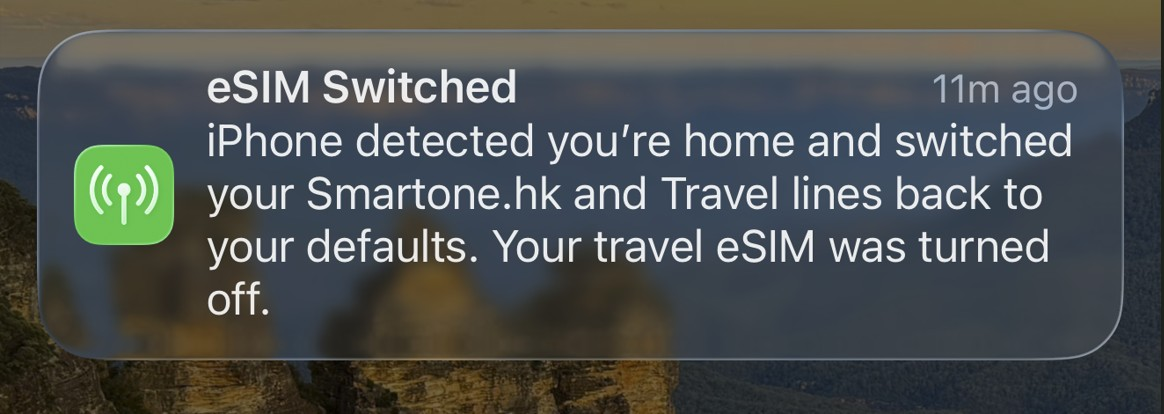


I had contacted Apple Genius in Hong Kong. They were first heard of this problem. Genius reported my case to Apple engineering team to seek for help. A week later, Apple Genius contacted me that and said there is NO solution for this. The Apple Engineer is suggested me NOT to use VPN !!! ... WHAT!?? What is a nonsense suggestion. I do prefer this Apple Engineer suggest me to change to use Android phone instead of iPhone.


The latest iOS 26.2 is not help. This kind of SIM switch is even more frequent. >___<

Prevent esim auto switch on iOS 26

Welcome to Apple Support Community
A forum where Apple customers help each other with their products. Get started with your Apple Account.