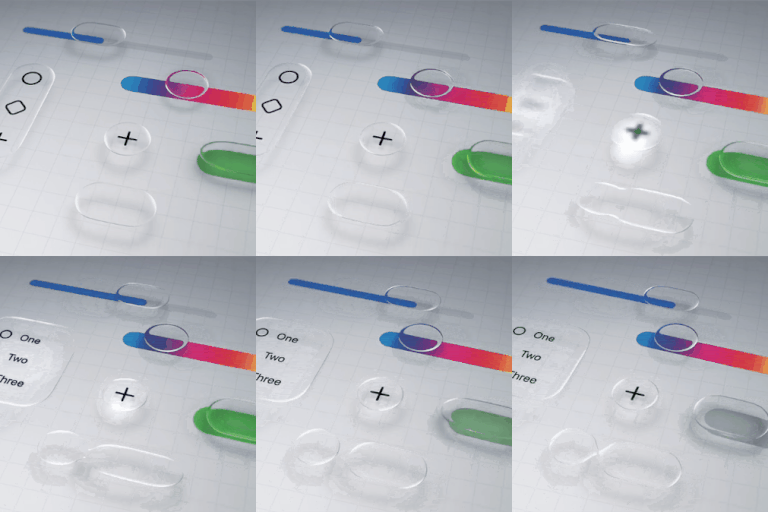
How to disable liquid glass in iOS 26?
Is there a way to completely disable the liquid glass functionality on iOS 26? I'm not going to get into a lengthy diatribe over why it's awful, I just want it gone.
iPhone 13 Pro Max, iOS 18
Is there a way to completely disable the liquid glass functionality on iOS 26? I'm not going to get into a lengthy diatribe over why it's awful, I just want it gone.
iPhone 13 Pro Max, iOS 18
Since the update ISO 26
Anytime I go to fill in texts in Safari, the keyboard pops up on the bottom and something drops down from the top and I cannot see when I’m trying to fill in.
This operating system is terrible. I see no need for it except for aesthetics. If this continues, I will be switching to android after having nothing but Apple phones for the past 20 years.
Sonnysaff wrote:
Since the update ISO 26
Anytime I go to fill in texts in Safari, the keyboard pops up on the bottom and something drops down from the top and I cannot see when I’m trying to fill in.
What do you mean by something dropping down from the top?
Do you have a screenshot where it may be helpful to visualize what you are seeing?
This operating system is terrible. I see no need for it except for aesthetics. If this continues, I will be switching to android after having nothing but Apple phones for the past 20 years.
That is your choice and it makes no difference to any of us. I have both platforms in my family and there are pros/cons to each of them. If you would like to look at the Samsung/Android support site, you see those same posts where users are going to buy an iPhone because of their experience. That just seems like a go to response when someone does not like something, not really from those looking for support.
It's not possible to read the time on my lock screen due to the type being semi transparent. Reducing transparency has not impact on text, only on the background. The whole Liquid Glass thing is awful looking; it looks like something is wrong with the display, the app icons look like what happens when printing is out of registration. There NEEDS to be a way to turn it OFF!! Seriously, Apple, what were you thinking?
This is what I’m talking about when I go to do a fill-in the screen ends up blocked who you can’t even see what you’re typing. If Apple had an easy way to give them your comments directly instead of through a form, I would voice my opinion to them. This is what I found and this is why I voiced my opinion.
Hi, Realise Liquid Glass has been out a while now but only just updated and hate it. Have tried the Display & Text Size/Reduce transparency setting which helps but now all my notifications coming up in black. Is there a better fix to reduce the awfulness of Liquid Glass now please? Fortunate not to need glasses to use phone but with Liquid Glass it felt like I needed glasses to see it so imagine it must be AWFUL for those with reduced/impaired vision. Plus who wants buttons that look like cheap bubble wrap? What happened to Apple's cutting edge design? Also why make the library photo in the camera app circular rather than square unless you really want people to see less of their previous photo!
Seeing the background move distortedly messes with my motion sickness, I either get dizzy or slightly nauseous. When I select the tinted option it does not look like anything changes. Please give us the option to turn it off, I don’t want to feel sick every time I use my phone.
It's awful. You can't read the time if you have a picture set for your wallpaper. That's the biggest issue for me. I wish we could disable it. I can adapt to the rest but it's a useless feature. So much for accessibility.
I also struggle a lot with the Liquid glass since the upgrade to IOSpad 26.. Unfortunately even on my Android phone with Android 16 some graphical elements go the same route. It will probably gets worse by the mandated Times Roman Character set for all computers, phones and tablets. Some companies already started mandating Times Roman back in their Word and Powerpoint Templates. I am not sure if that is a good evolution too for visual impaired people, because all works then only for the sharp eyed.
Times New Roman font is only something proposed by a Senator for all government docs. Not some nationwide or global change. Info on it: https://www.npr.org/2025/12/11/nx-s1-5640715/state-department-font-times-new-roman-calibri
inetbas wrote:
It will probably gets worse by the mandated Times Roman Character set for all computers, phones and tablets. Some companies already started mandating Times Roman back in their Word and Powerpoint Templates. I am not sure if that is a good evolution too for visual impaired people, because all works then only for the sharp eyed.
Computer companies are not being mandated to use Times New Roman. The only entity that is being required to use Times New Roman is the U.S. State Department.
This has been on iOS for a long time. I found an image with it from iOS 12. And the fix you seek for is within that bar above the keyboard. You simply click the up or down arrow to scroll up or down and reveal the text box.
Disliking the iOS 26 update is not about preference or "getting used" to the placement of new icons. There are real accessibility issues that Apple has seemed to ignore. I appreciate all the guidance on how to minimize the negative impact of these features on vision and vertigo.
sashwa32 wrote:
Yes please help apple. This new figure is horrible
Apple isn't here. Just other users like yourself on this user to user only forum. There are many options and links posted throughout this thread. As opposed to responding to the first post in a thread, take YOUR time to read and learn how you can positive improvements.
Herr it is in iOS 26. It hovers above the keyboard text predict area and blocks out several site’s form submission buttons. With that and the keyboard almost half of the usable screen space is taken. Makes typing forms and responding to forum posts tricky. See screenshots. Hopefully a fix is coming.
You seem to have completely ignored my solution. There’s little to no change from other versions in terms of that bar covering text. They both were above the keyboard and therefore both cover up any text under it. Use my solution in my previous post.
How to disable liquid glass in iOS 26?